
Firmographic Data
With the firmographic data package from Dun & Bradstreet (D&B), Alteryx enables you to segment and target businesses and improve your return on marketing spend and outreach. Whether you are trying to optimize sales territories, identify the best places to hire sales and service personnel, or simply gain a better understanding of the businesses in your area, leveraging the Dun and Broadstreet data for automation will enhance your analysis and empower you to make strong business decisions.
Dun and Bradstreet Business Location File
What is it?
The D&B Business Location File provides business locations in the U.S. (including Puerto Rico) and Canada. This dataset contains over 100 variables including Business Name, SIC and NAICS codes, Sales Volume, # of Employees (Total/Here), Square Footage, Latitude and Longitude. With this dataset, you will have access to D&B Classes 0, 1, and 2 records. You will also be able to differentiate home-based businesses (“Cottage indicator”).
How to use it?
With the Business Match macro, you will be able to match to business addresses, names, and telephone numbers. In addition, you can use the Calgary Input tool to identify counts or lists of businesses with certain characteristics.
Dun and Bradstreet Business Summary File
What is it?
The Business Summary file provides employee & establishment counts to the Block Group by Home-based and non-Home-based businesses. However, this excludes D&B class 2 records and business locations in Puerto Rico and Virgin Islands.
How to use it?
Using the Demographic Analysis tools, you will be able to rank geographies based on certain business characteristics, and also create penetration and thematic map visualizations.
Using the Business Match Tool in Alteryx
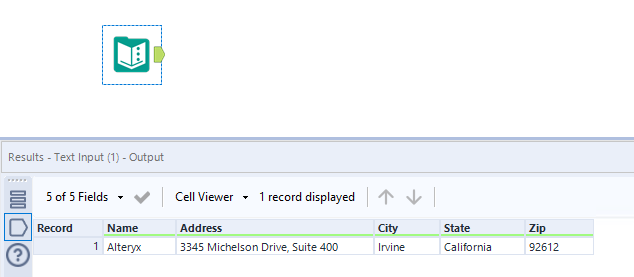
In order to utilize the Business Match tool in Alteryx, you will first need to bring in a dataset that contains a list of business names and addresses. Please note that the address should include City, State, and ZIP. For our purposes, we will feed in a single record; however, you could bring in a list of hundreds or even thousands of businesses.
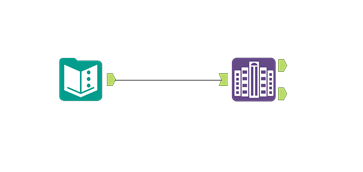
The next thing you’ll want to do is look in the join tab and find the Business Match tool.

Then, you’ll drag that into the canvas and connect it to your input file.
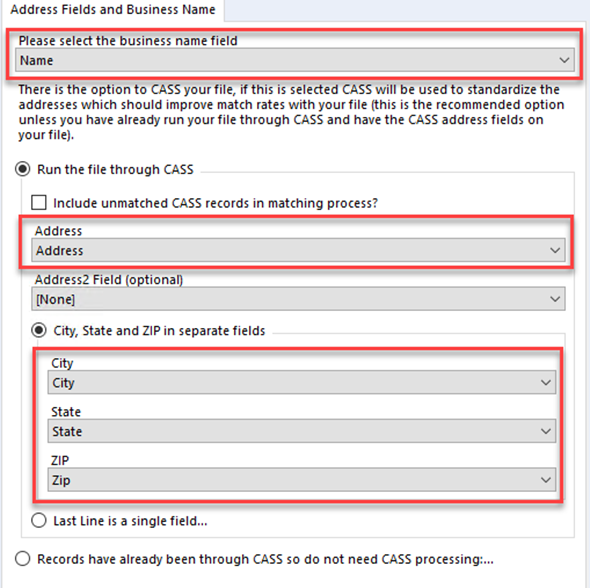
 Next, click on the Business Match tool and look in the configuration window to make a few selections. First, you’ll need to select the field in your dataset that contains the names of the businesses. After that, you will need to choose whether you would like to run your records through CASS. CASS (Coding Accuracy Support System) is used to standardize your addresses to help improve match rates with the D&B Business Location file. Finally, you will need to select the fields that contain the business Address, City, State, and ZIP.
Once that is complete, you will attach a couple browse tools to the output anchors and click Run.
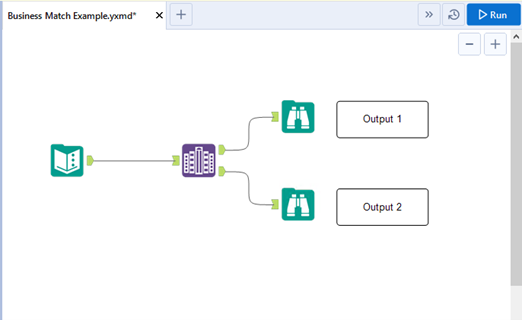
In output 1, you will find all of the records returned from the D&B Business Location file. This includes fields such as the CASS validated address, latitude and longitude of the business, NAIC codes, sales volume, line of business, number of employees at location, and more.
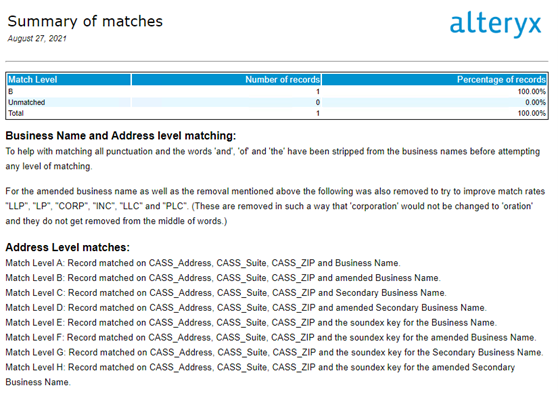
In output 2, you will find a match summary. This will tell you how many records were able to match to the D&B Business Location file, the match level of those records, and the total number of records that were unmatched.